Features
Feature pages
Metro2 review Client portal Client system API bridge Multi-office nodes Backup redundancy Tech stack and setup Social / Meta manager Managed websites
Migration Outsourcing Videos Roadmap Pricing About Start Intake Login
Real product proof

See the product before you buy it.
Actual screens. Actual workflow.

CreditSoft is a local-first credit repair operating system with client workspaces, review queues, billing, portal, website, social tools, and office-node controls already built in. This page shows the product as it exists today.

  • Work the file, review issues, route tasks, and see next actions from one app instead of juggling disconnected tabs.
  • Run intake, client portal, billing, Meta growth, multi-office nodes, and control tools without stitching together five separate systems.
  • Start with the software, then add public-site, backup, and automation pieces only where your company actually needs them.
Product map

The product gets easier to trust when you can actually see it.

These screenshots are the fastest way to understand what CreditSoft really is: not just a dispute letter tool, but the operating system around the work.

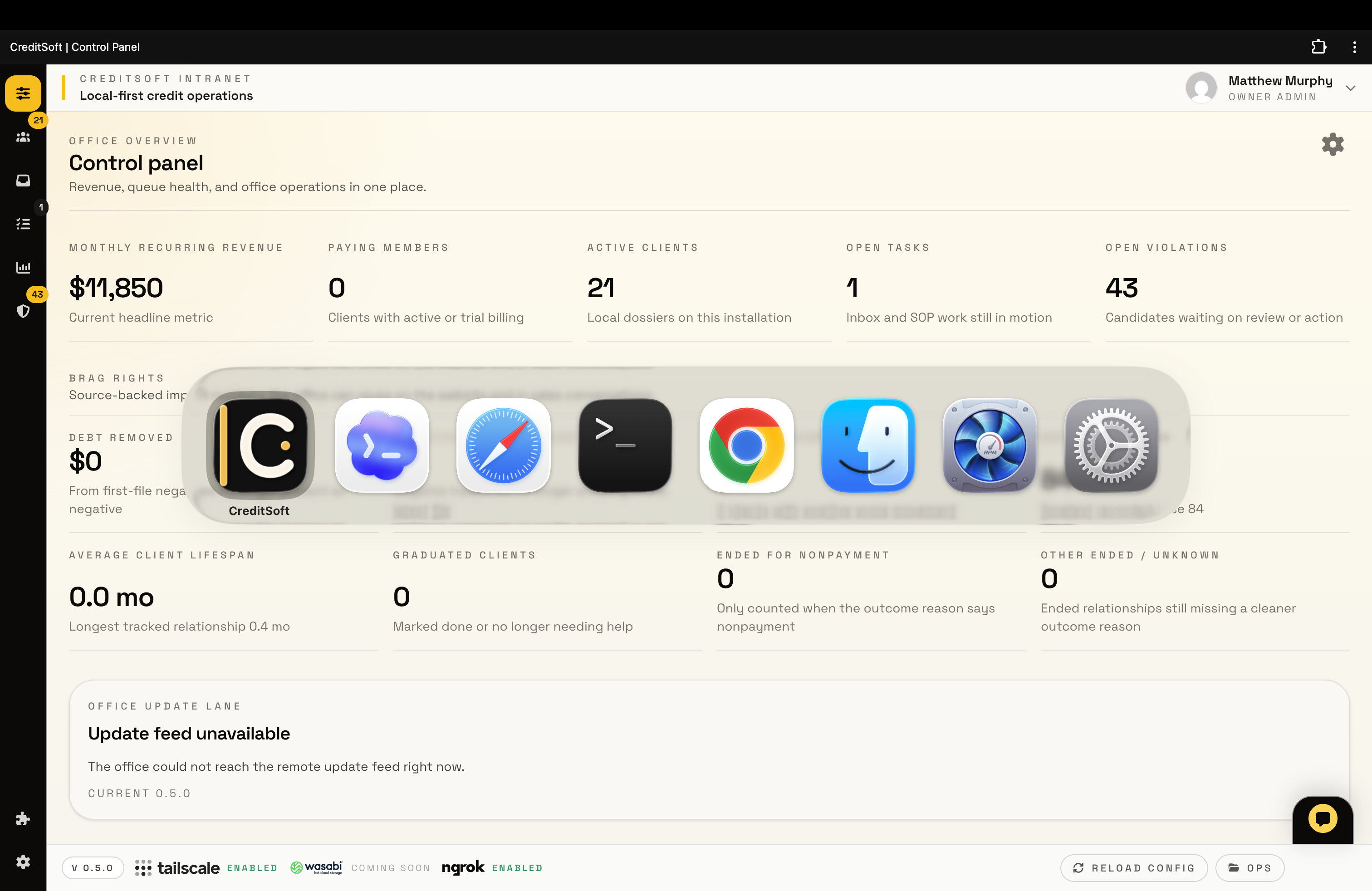
  • Dashboard and CFO keep revenue, workload, and impact numbers in view instead of burying the business side in spreadsheets.
  • Client roster and inbox keep ownership, review pressure, and next actions visible so your team can actually move files forward.
  • Tasks, API, AI, nodes, and connectivity let your company control integrations, automation, remote offices, and redundancy without giving up the local-first model.
Screenshot note

These screenshots were captured on April 13, 2026. The app is changing quickly, and we are putting product work ahead of website polish right now. Team of one.

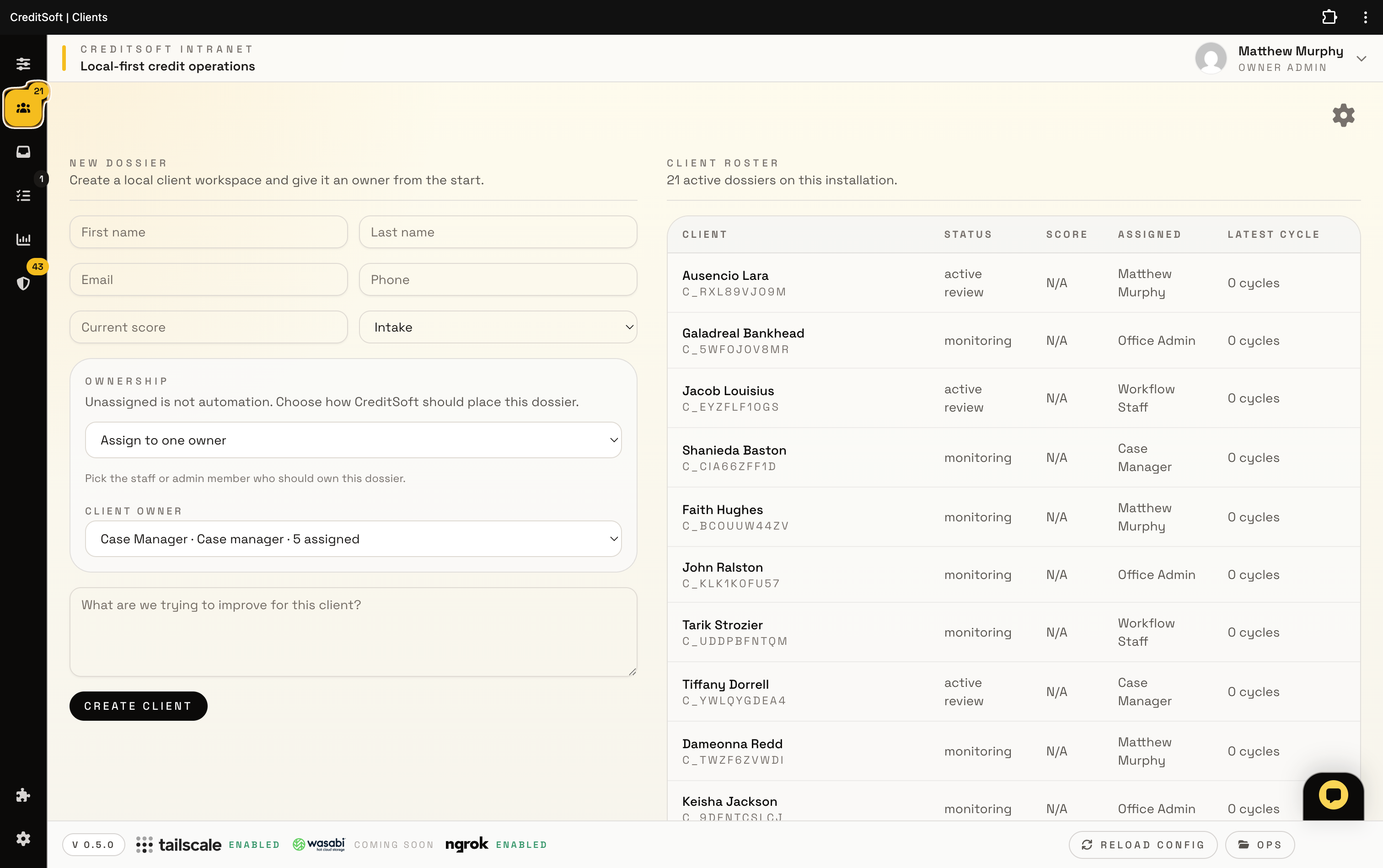
CreditSoft client roster screen
Clients Client roster with ownership built in

See the docket, owner assignment, status, and cycle context without leaving the main workspace.

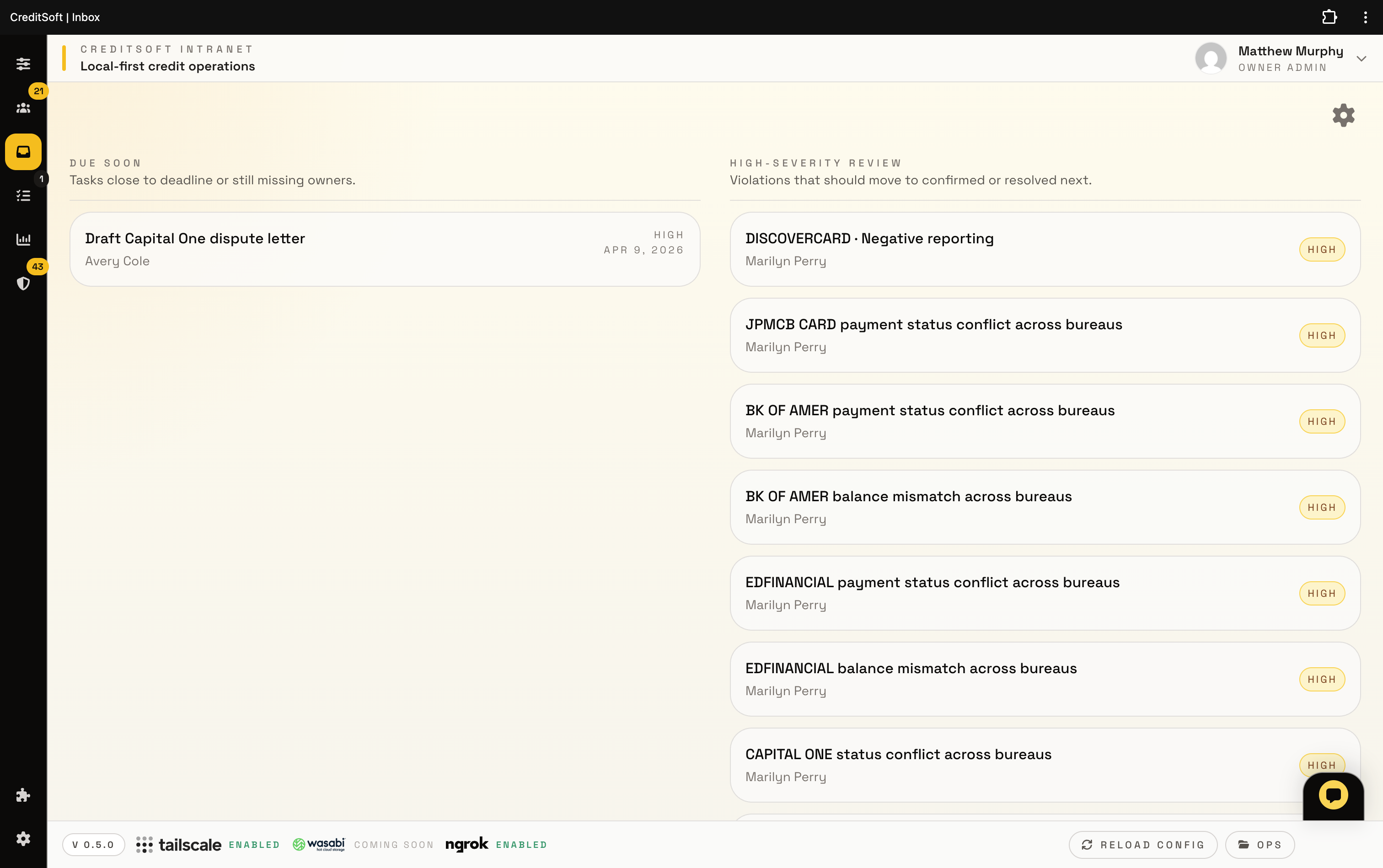
CreditSoft inbox and review queue
Inbox Review queue instead of scattered follow-up

Due-soon work, high-severity review, and next actions stay visible so your team can move the file forward.

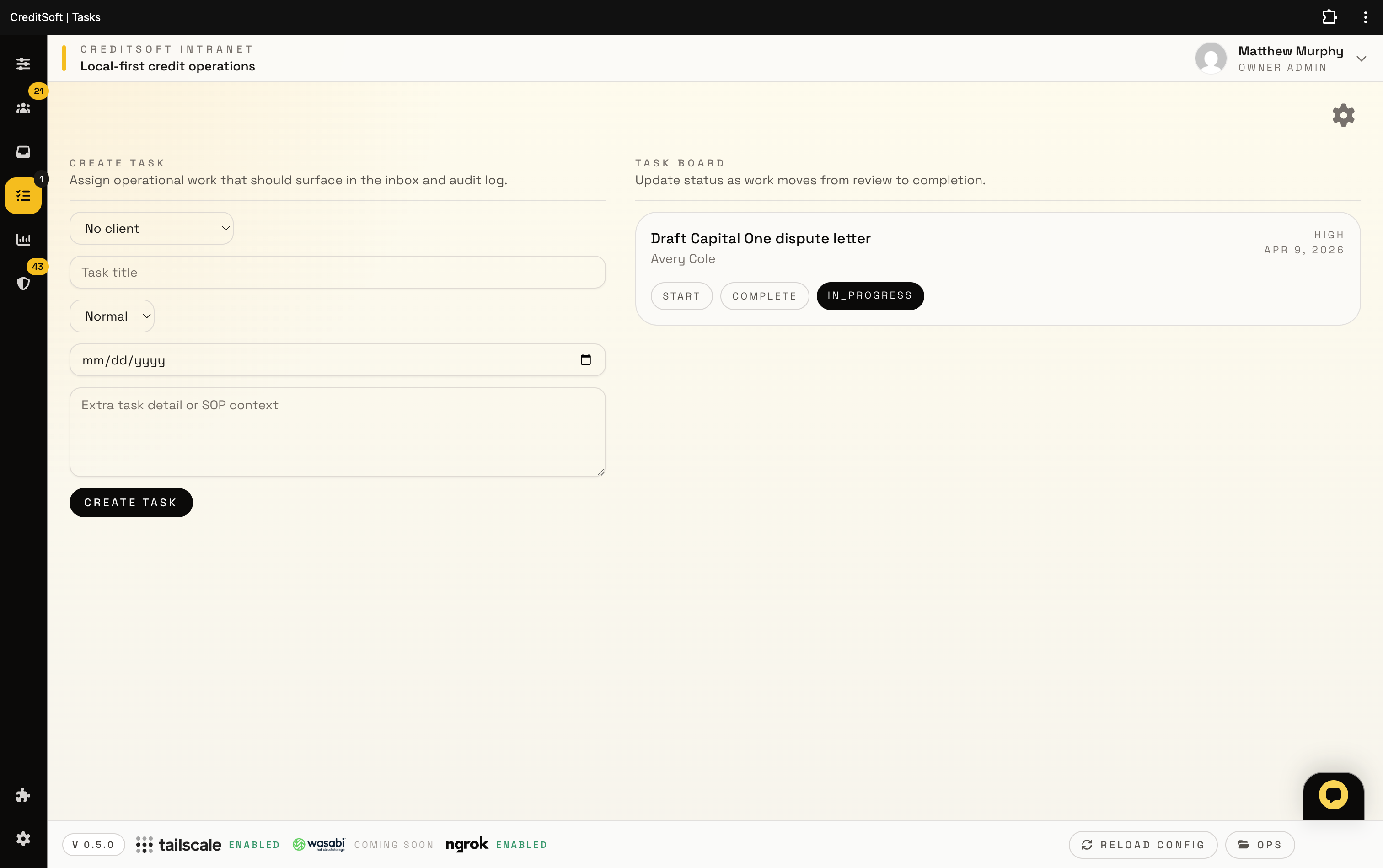
CreditSoft task board
Tasks Operational work tied to the client

Create and advance work without pretending task management lives outside the product.

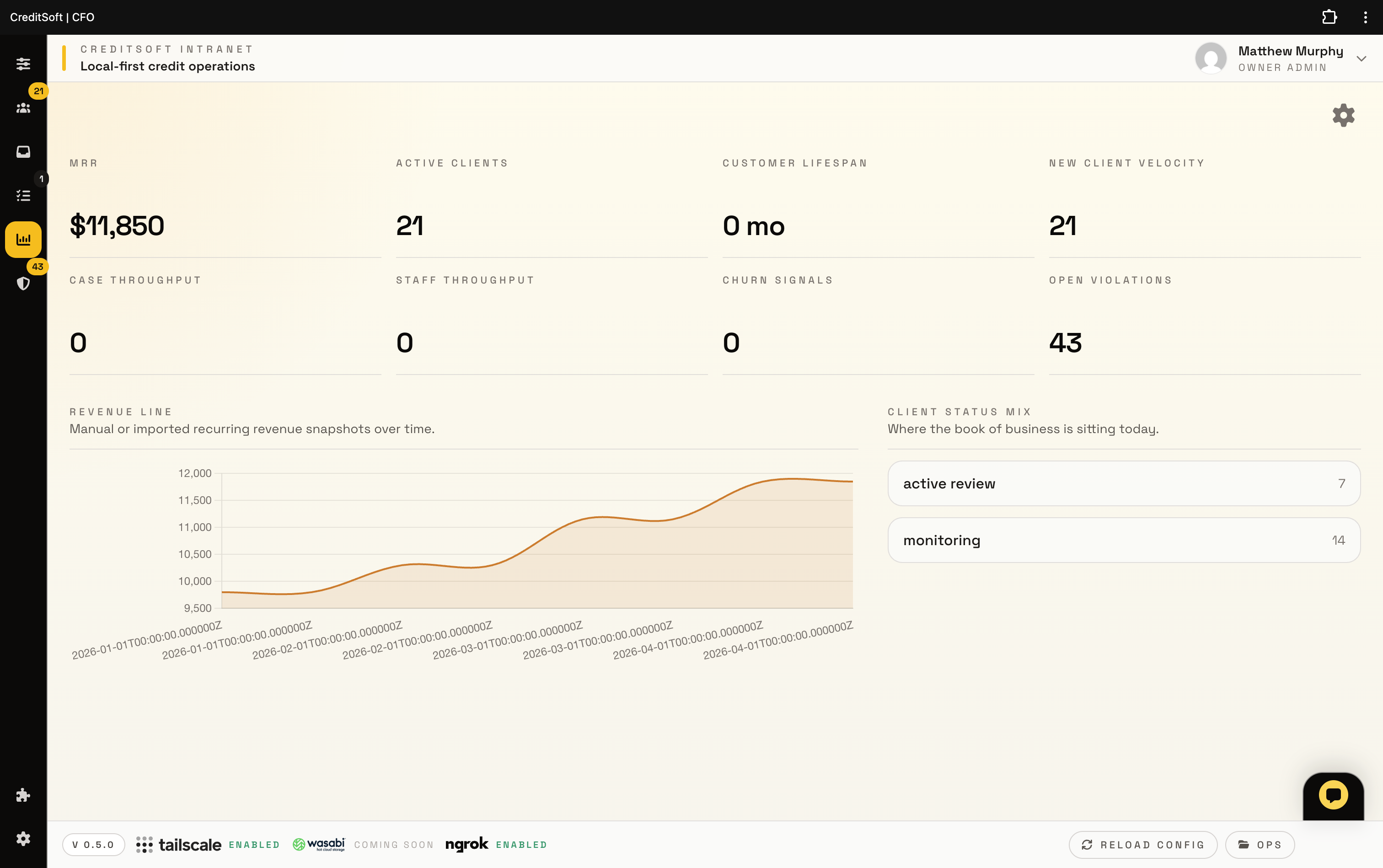
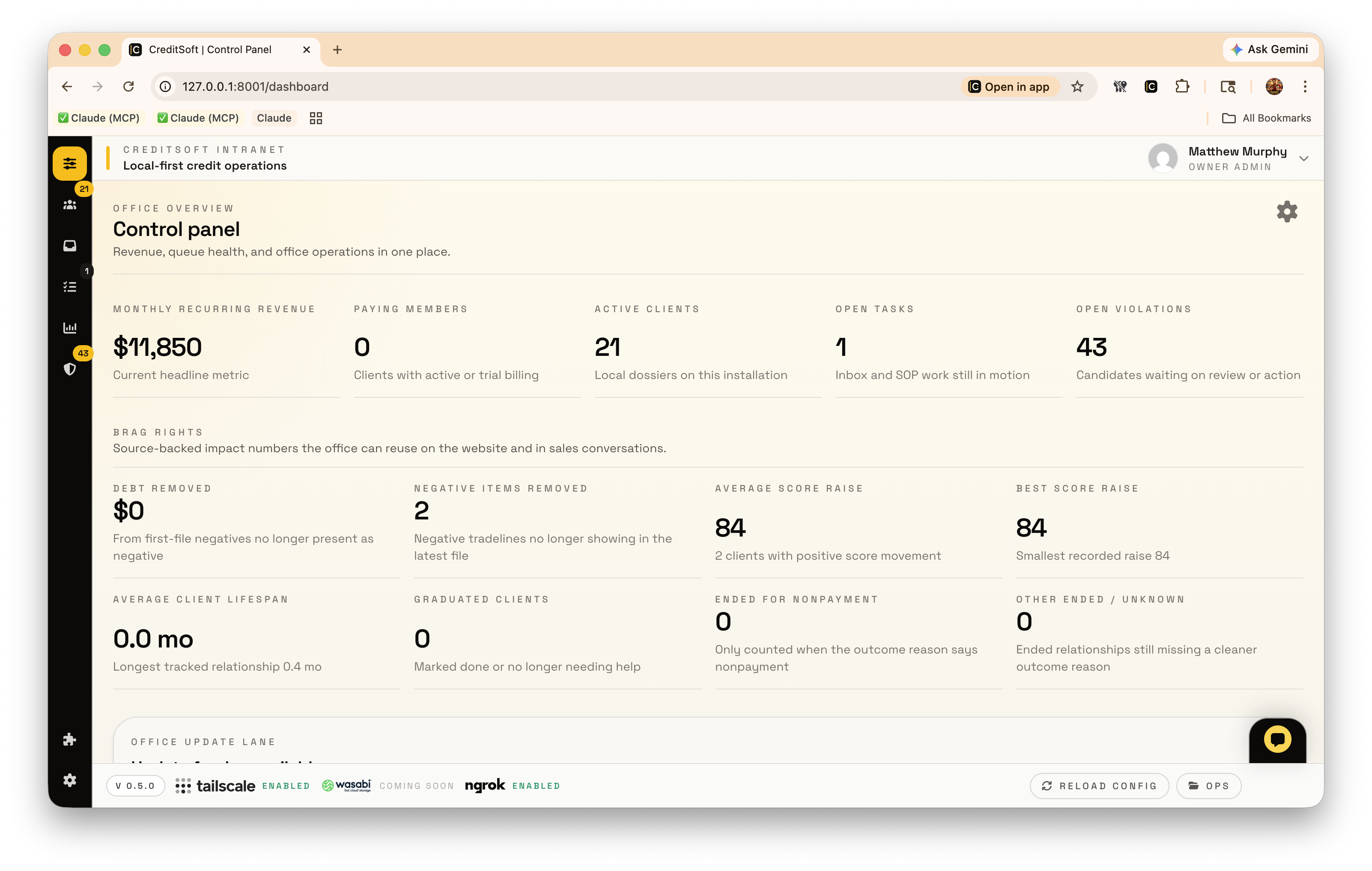
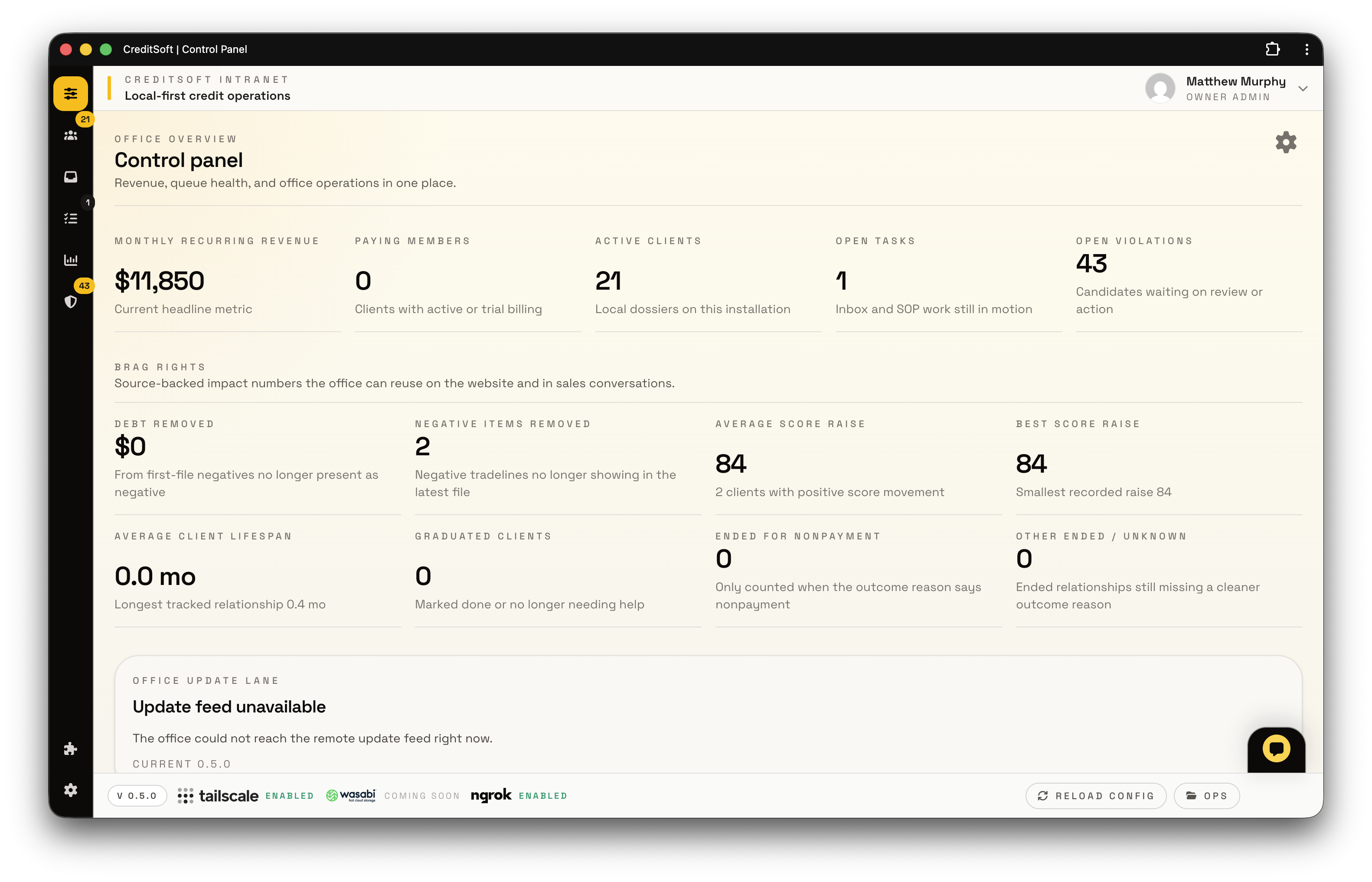
CreditSoft CFO dashboard
CFO Revenue and throughput in the same system

MRR, client lifespan, churn signals, and workload belong inside the product, not in a separate spreadsheet habit.

Product areas

These are the product areas your company is actually paying for.

CreditSoft is built to replace the messy stack of CRM, dispute tracking, review notes, portal, file storage, social tools, and control tabs that usually pile up around a credit repair business.

Client system and casework

The client record, documents, report work, letters, portal activity, and follow-up live in one working system.

  • Client workspace Case notes, cycles, letters, briefs, browser captures, files, and follow-up stay tied to the client record.
  • AI-driven Metro2 and comparison review Covered violation signals identify account mismatches, inaccurate late payments, invalid collections, and bureau conflicts before drafting.
  • Client portal connection Portal uploads and customer-facing status can feed the same internal client workspace.
  • Inbox and task routing Missing owners, due work, and review candidates surface in the system instead of disappearing into memory.

Client-facing layers

The public side and client side should feel tied back to the same company system.

  • Branded websites Managed public pages can tie back into intake, pricing, portal, and admin handoff.
  • Client portal Clients get a branded login area connected to the company workflow instead of a dead-end status page.
  • Website API bridge Public domains can carry portal, form, and Meta callback traffic without exposing the local intranet.
  • Lead intake Qualification and fit-check flows capture better sales data than a simple waitlist box.

Social / Meta growth

Marketing activity should connect back to the same stack that captures and works the lead.

  • Meta Graph v25.0 connector CreditSoft uses the current Meta connector flow for Page list, Page engagement, public callbacks, and lead handoff.
  • Content calendar and creator goals Social planning, publishing context, challenge tracking, and office scheduling stay visible instead of becoming another notes pile.
  • Facebook, Instagram, and WhatsApp handoff Meta traffic can move into branded website flows, business follow-up, and chat-ready responses when the connected account has the required permissions.

Office operations

Your company still needs billing, controls, and support after the letter is drafted.

  • Billing and revenue Payment history, recurring revenue, and company impact numbers live in the same workspace.
  • Companion and provider capture Browser capture and provider support reduce manual intake instead of adding more steps.
  • Updates and control License, connectivity, API, and AI settings make your company feel like it owns the stack.

Multi-office nodes

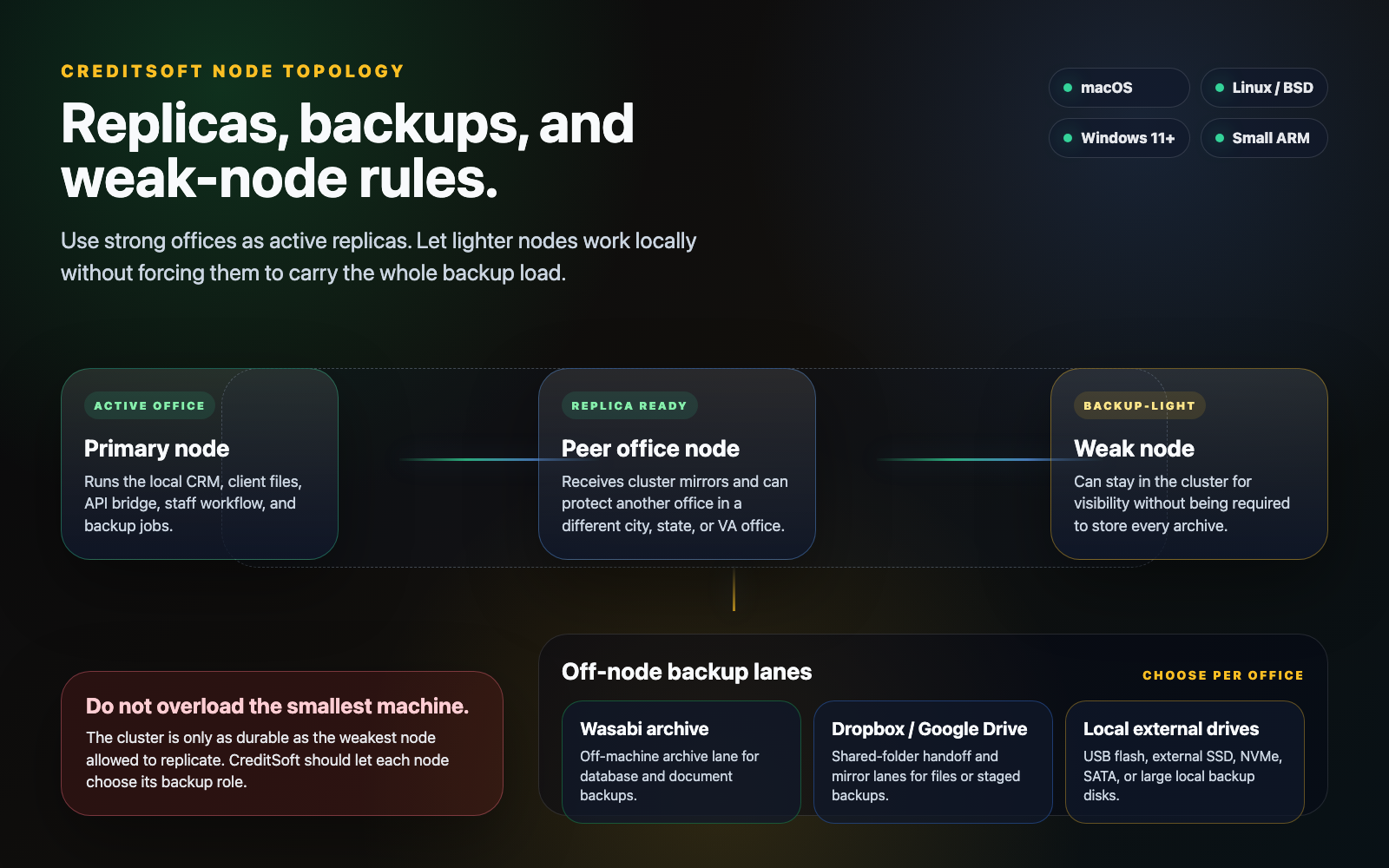
CreditSoft can be set up around more than one office computer or location instead of forcing every worker onto one exposed machine.

  • Local node first Each office can run the local intranet experience close to the staff using it.
  • Manager visibility Owners and managers can be structured to see the work they are allowed to supervise across offices.
  • Fastest available node The product direction supports routing users toward the node that responds best while keeping the same CreditSoft experience.

Office-to-office redundancy

Backups should not be an afterthought sitting on one computer. The goal is resilient offices that can protect each other.

  • Peer backup model Offices can be configured so one office node backs up another for more redundancy.
  • Internet backup path Licensed installations can still use CreditSoft backup/update infrastructure for a safer recovery path.
  • Setup handled with access If you give CreditSoft access to the systems, we handle the setup instead of handing you a fragile checklist.

Managed tech stack

The product is meant to be installed and maintained as a business system, not hand-tuned forever on one Mac.

  • PostgreSQL data layer CreditSoft is moving the intranet data layer toward PostgreSQL for stronger multi-node and CRM-adjacent workloads.
  • PHP 8.5 and OPcache The web/intranet stack is tuned for modern PHP with OPcache instead of relying on one-off launch flags.
  • Installer-minded setup We handle system setup, connectivity, public callbacks, and backup wiring when access is provided.
Settings and control

Own the setup without babysitting the stack.

Provider keys, partner API access, public callbacks, local connectivity, AI providers, and node behavior belong inside the same system as the work. If you give us access to the system, CreditSoft handles the setup.

API and domain bridge Stable public domains can relay portal traffic, Meta callbacks, and website integrations without exposing the local intranet.
Connectivity modes Local-first access can be paired with ngrok, Tailscale, and office-node rules when the installation needs outside access.
PostgreSQL direction The intranet is being prepared around PostgreSQL-backed operation for stronger data, reporting, and multi-node support.
Managed installation CreditSoft can configure PHP 8.5, OPcache, database, callbacks, and backups when the customer provides access.
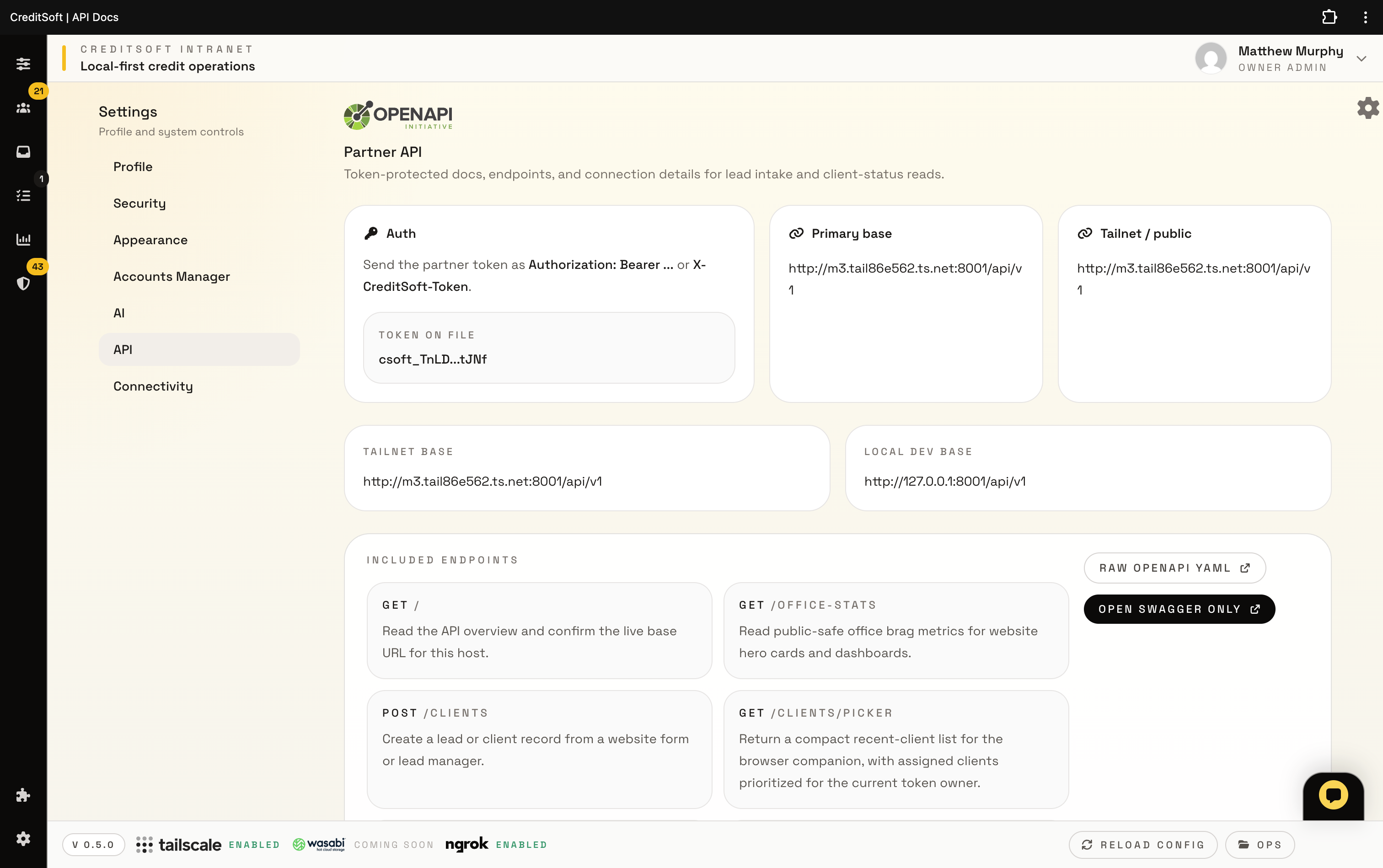
CreditSoft API settings
API Partner API, domain, and callback controls

Token-protected integration details for the website bridge, portal, installer, Meta callbacks, and companion capture.

CreditSoft AI provider settings
AI Provider choices with validation

Choose which drafting, social planning, summarization, and review provider your company should trust without losing visibility.

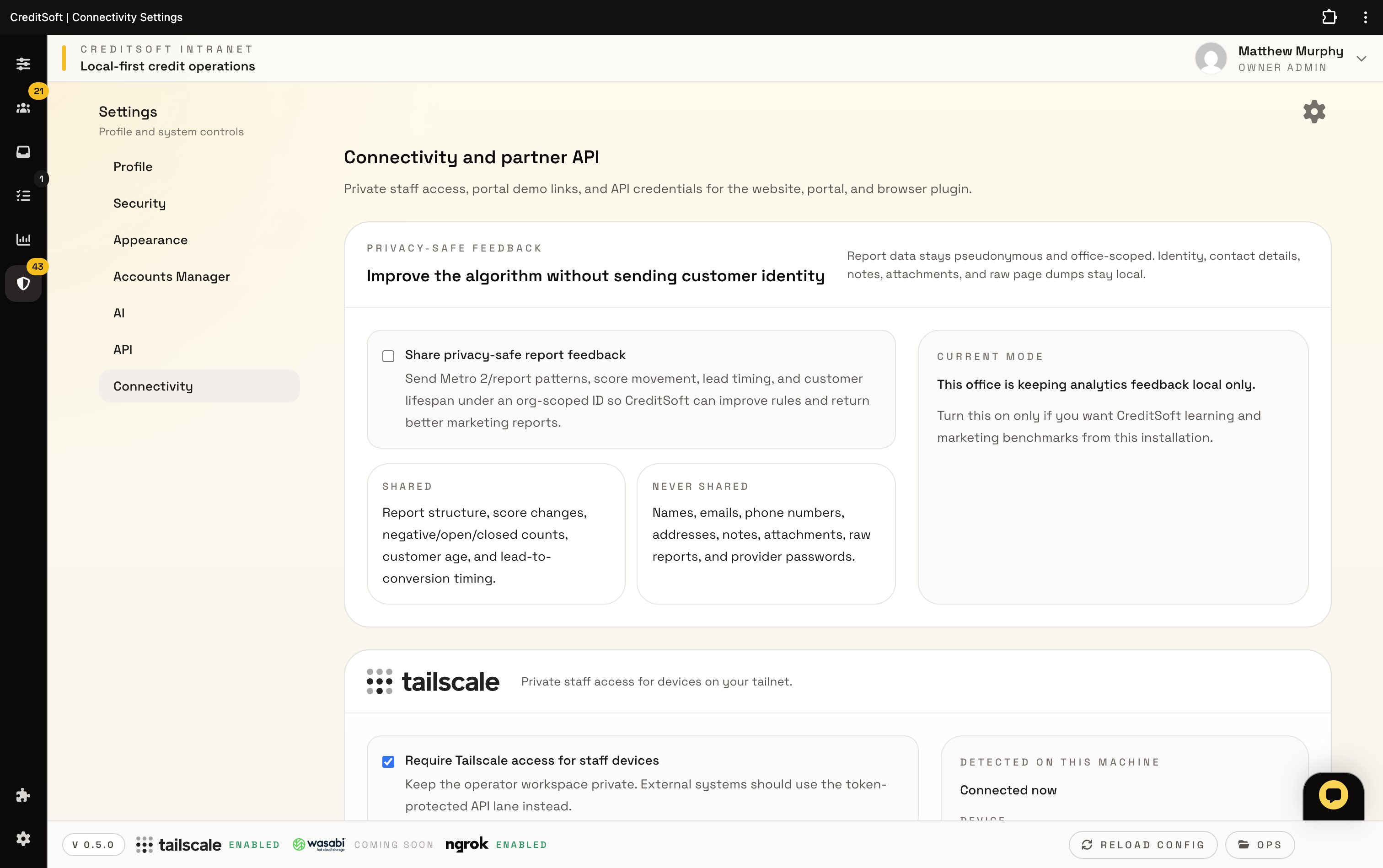
CreditSoft connectivity settings
Connectivity Local-first node and tunnel rules

Keep ngrok, Tailscale, partner access, and privacy-sensitive feedback inside clear company-scoped boundaries.

See the rest of the stack.

Pricing shows what the software costs, migration shows how your company moves over, and the client portal shows what your customers will actually use. Multi-office and backup setup is handled with you when system access is provided.

If the workflow looks right, the next step is choosing the setup that fits your company.

Start with the core software. Add intake, managed websites, or extra support only where they actually help your company.

See pricing